Teachers and parents, easily create traceable alphabet worksheets, personalized for each child's interests!
Type & print handwriting practice worksheets
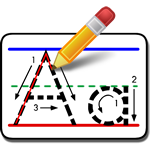
Primary Tablet prints whatever you type in your choice of primary tablet formats, with or without ruled lines, solid or dotted lettering, and with or without directional arrows or color-coded starting dots and arrows.
Customize worksheets for each child
Stock worksheets use the same "Apple, Ball, Car, Dog" over and over. Primary Tablet allows you to type and print worksheets that are specific to each child. Stock worksheets can't include a child's name. Once again, "Apple, Ball, Car, Dog". Worksheets that target a child's own interests hold their attention longer and make handwriting practice fun.
Primary Tablet 5
Mac

Windows
$19.95
Line Style Options
Primary Tablet includes three tablet line stiles: no lines, standard primary tablet lines without underline, and standard primary tablet lines with underline. Select one tablet line style for all worksheets, or select a different style for each child. When you include primary tablet lines, use the default line colors or define new colors for each line (top, middle, base, and underline) to suit your needs.

Font Styles
Primary Tablet includes both PT Traditional Manuscript and PT Modern


System Requirements
Windows Version:
Microsoft Windows 10, Windows 8.1, Windows 7, Vista, or XP
Pentium with at least 32 MB of RAM
Hard disk with at least 15 MB of free space
Windows compatible printer
Pentium with at least 32 MB of RAM
Hard disk with at least 15 MB of free space
Windows compatible printer
Mac Version:
Mac OS X 10.5 or later (including macOS Mojave and Catalina
Hard disk with at least 15 MB of free space
Mac OS X 10.5+ compatible printer
Hard disk with at least 15 MB of free space
Mac OS X 10.5+ compatible printer
PencilPoint Software, P.O. Box 697, Thorsby, AL 35171